
Answers Excel → PDF
How to stop Excel from splitting rows across PDF pages (row-atomic breaks)
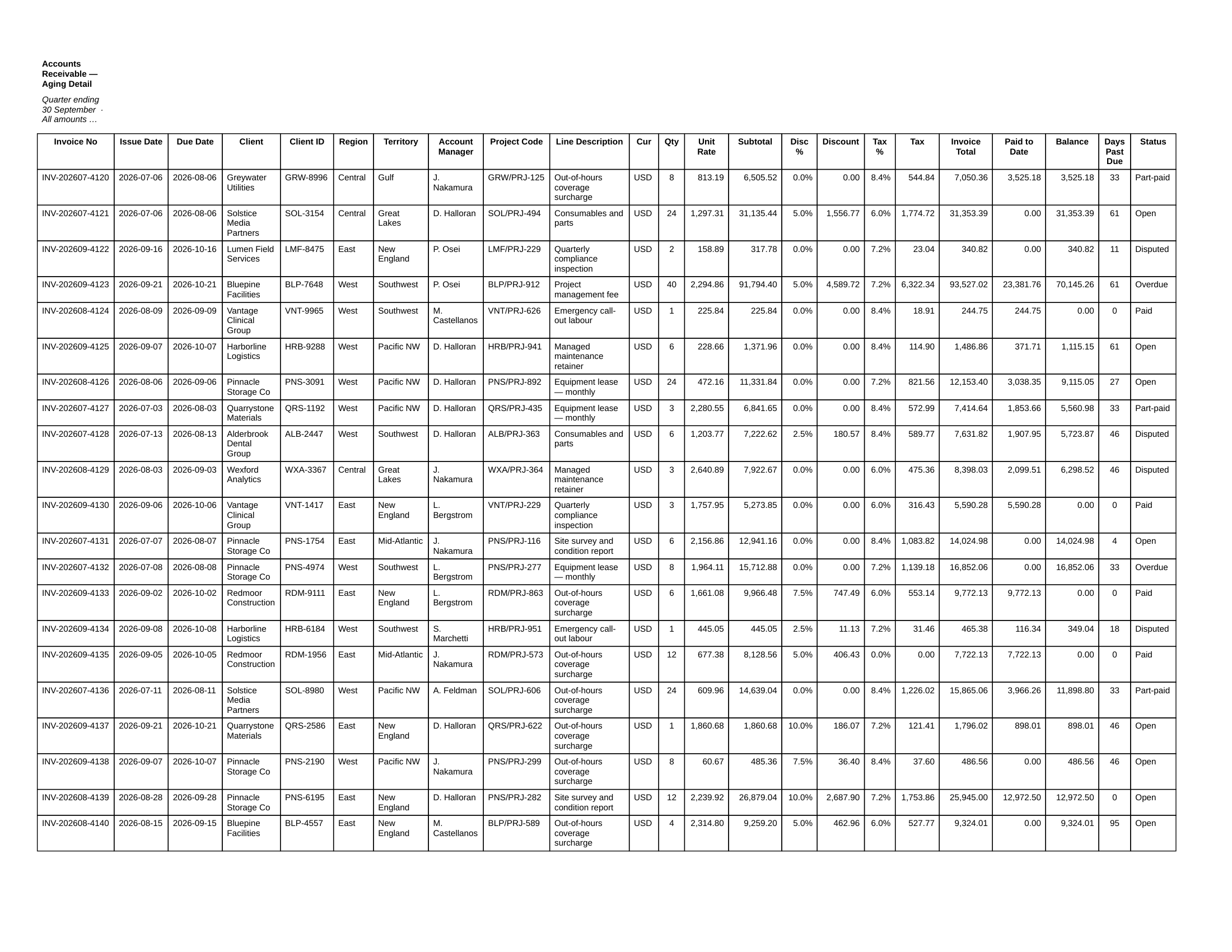
Short answer: Excel paginates by height, so when a tall row hits the bottom margin it gets sliced — the top half on one page, the rest on the next. The manual fix is to insert page breaks above the rows that must stay whole; the automatic fix is a renderer that treats every row as atomic. CrazySmartPDF keeps each row on one page.
Fixing it by hand in Excel
- View → Page Break Preview, then Page Layout → Breaks → Insert Page Break to push a page break above any row that’s straddling the line.
- Shorten the offending rows — reduce row height or trim wrapped text so they fit the remaining space.
- Page Layout → Print Titles → Rows to repeat at top, so your column headers reappear on every page instead of only page one.
The honest catch: manual page breaks are brittle. Add or delete a few rows and every break below is now in the wrong place, so you’re back in Page Break Preview redoing them.
How CrazySmartPDF handles it
Row-atomic pagination is built into the renderer, not something you set up:
- Every cell — and therefore every whole row — is rendered “show entire.” A row that won’t fit in the space left on the current page moves to the next page intact. No orphaned half-rows, no lone “D.” stranded at the top of a page.
- The header row (or rows) it detects repeat automatically at the top of every page, so a table that runs long never loses its column titles.
CrazySmartPDF · page 2 of 10
The honest caveats
Runs on Windows and needs Excel installed (2016+). The one genuine limit is physics: a single row taller than an entire page still has to break somewhere — nothing can keep it whole. In practice that’s rare, partly because long cell text is capped at a few lines so one row can’t balloon past a full page.