Blog · 8 articles
Practical, honest guides to getting clean PDFs out of Excel — the page-setup traps, how to fix them by hand, and where an automatic layout-and-self-check pass earns its keep.
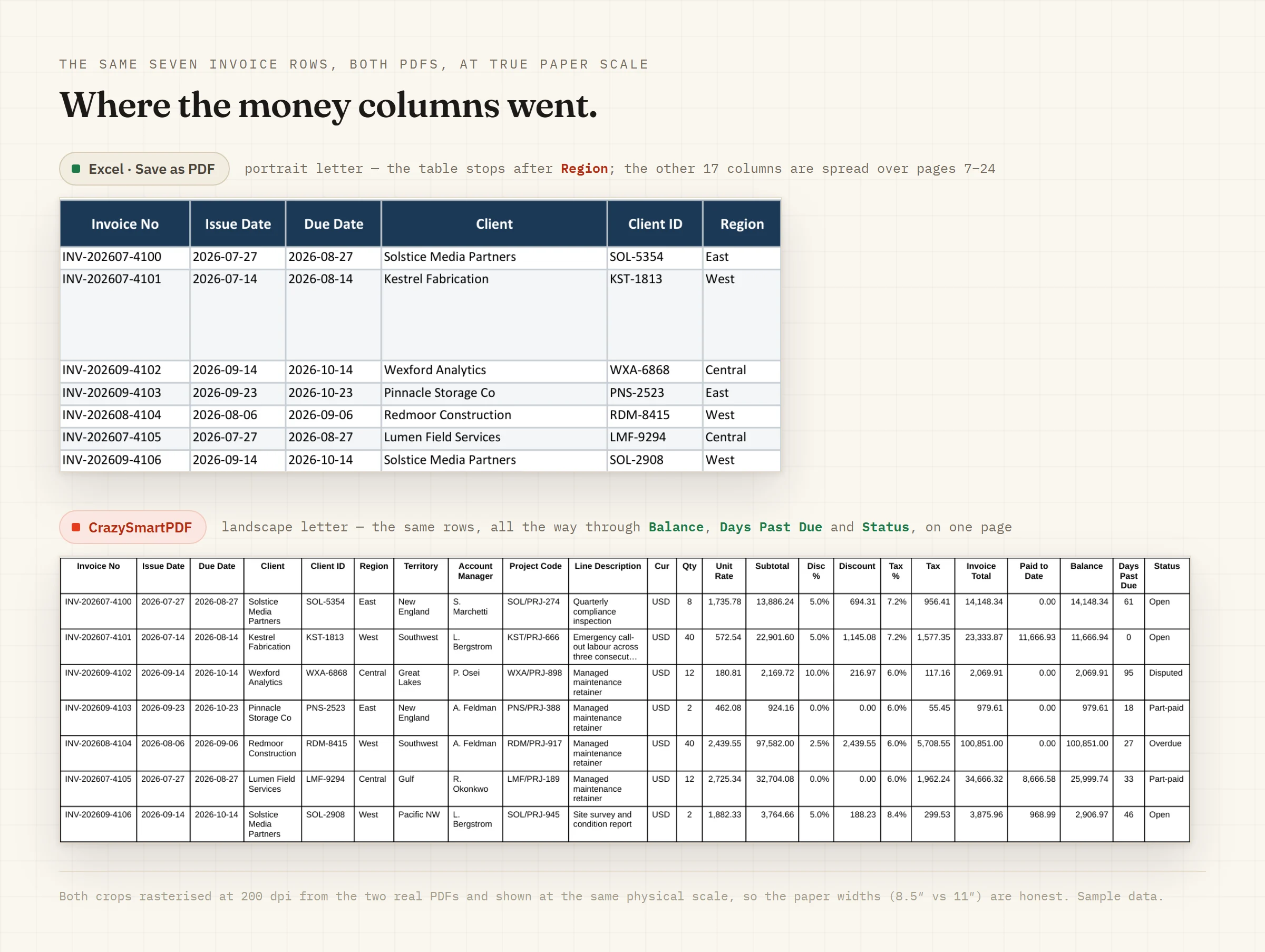 Start here Print, not layout: the real reason Excel's Save as PDF breaks your spreadsheets Excel's Save as PDF is a print of your page setup, not a layout engine — one architectural fact that explains every cut-off column, split row and shrunk export. Here's the mental model, and what a real layout pass does instead. July 10, 2026 Read it
 A print area is the most useful page-setup control in Excel and the easiest one to leave stale. Both of these are about the same risk: an export that looks finished and is quietly short a column.
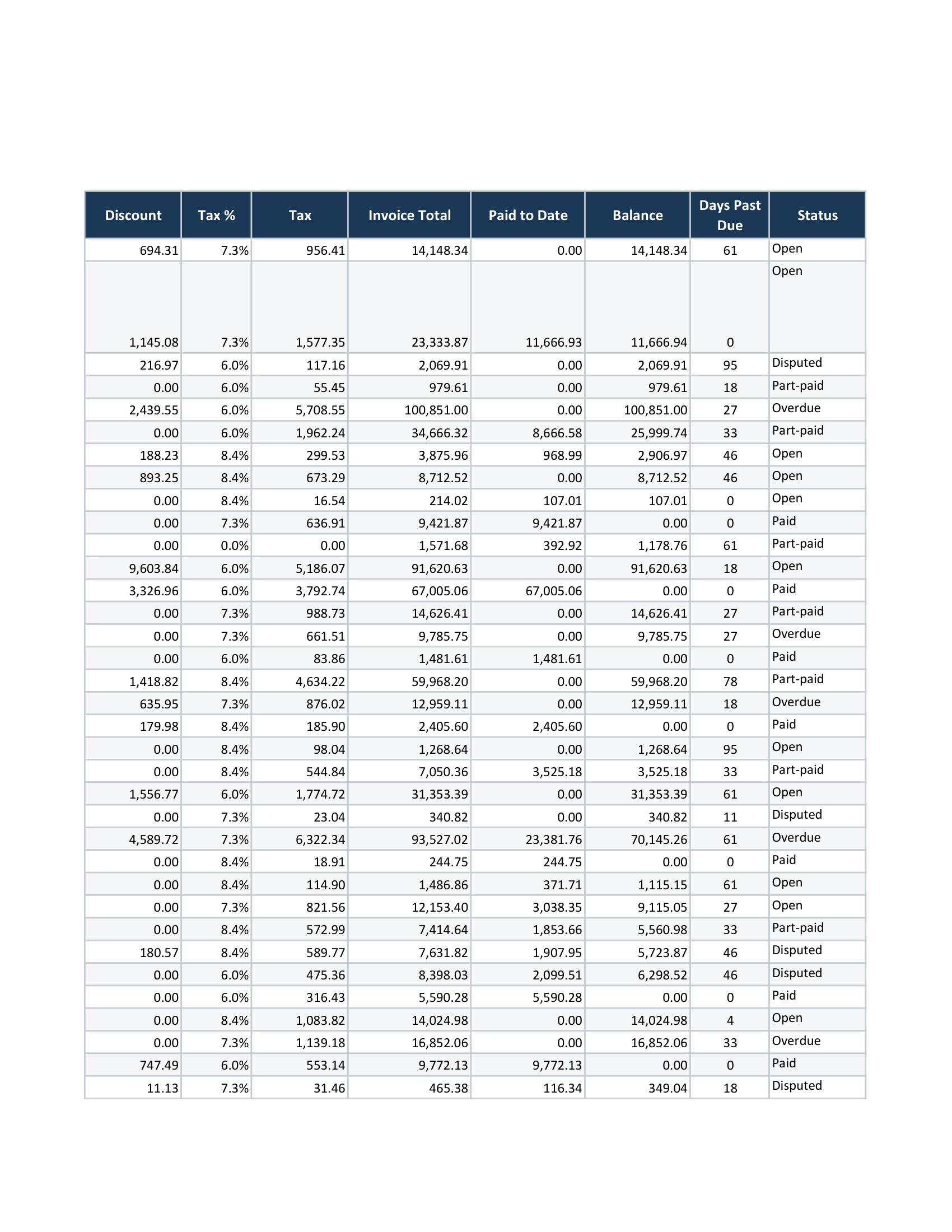
Excel paginates by height, so a tall row can be sliced across a page break — the label on one page, the number on the next.
Month-end is a folder, not a workbook, and Save as PDF is a one-file-at-a-time control.
Try it on the file the article is about
The browser converter takes one workbook and hands back the PDF. It is free, there is no signup, and your file is deleted after the conversion. The Windows desktop app adds whole-folder batch and needs Excel 2016 or newer.
