Answers · 30 of them
Pick the thing that went wrong. Each answer gives you the fix by hand in Excel first, then what CrazySmartPDF does about it, in a couple of minutes of reading.
Rows split down the middle, columns sliced off at the paper edge, text shrunk to nothing. Each one is a page-setup problem with a manual fix in Excel.
One workbook · 23 columns · page 1 of each PDF
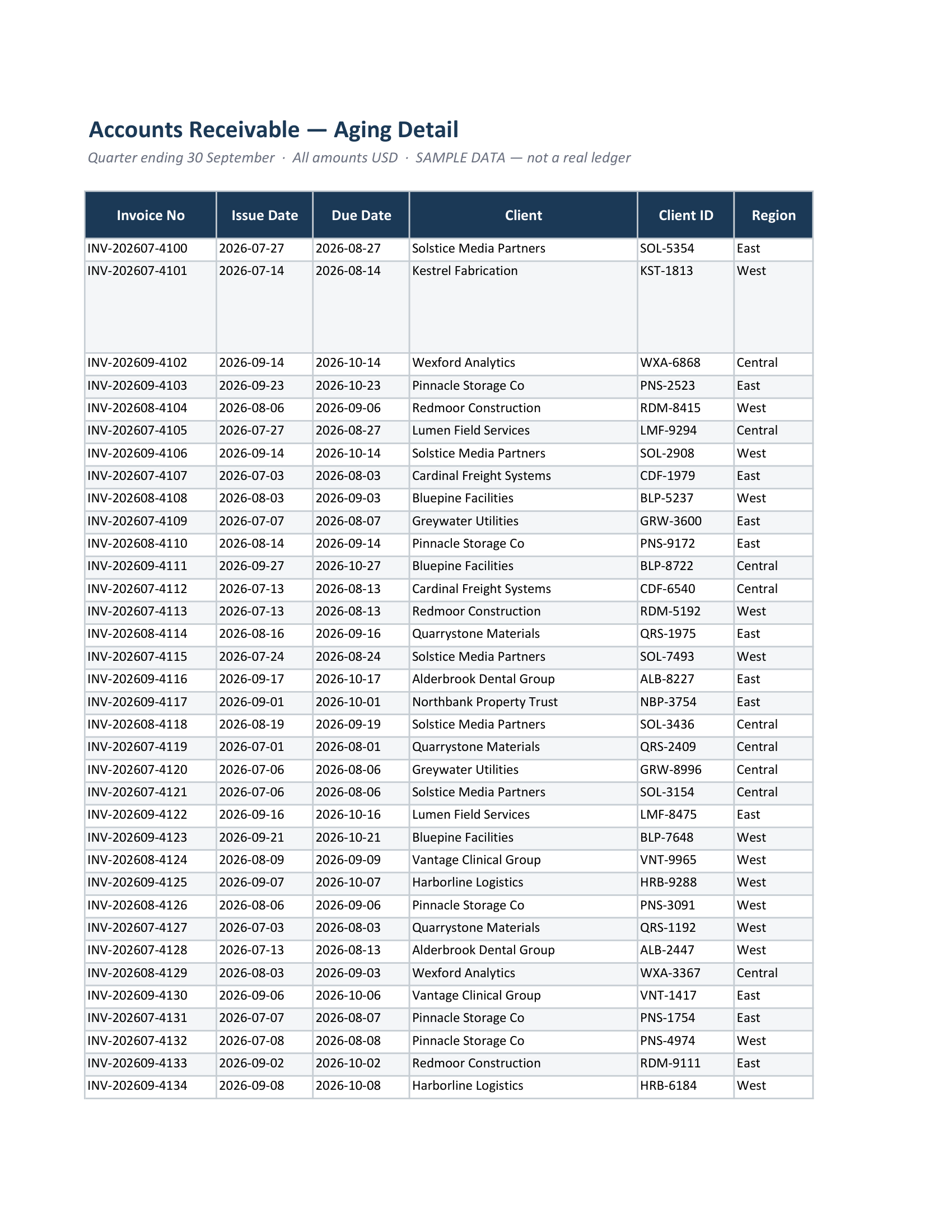
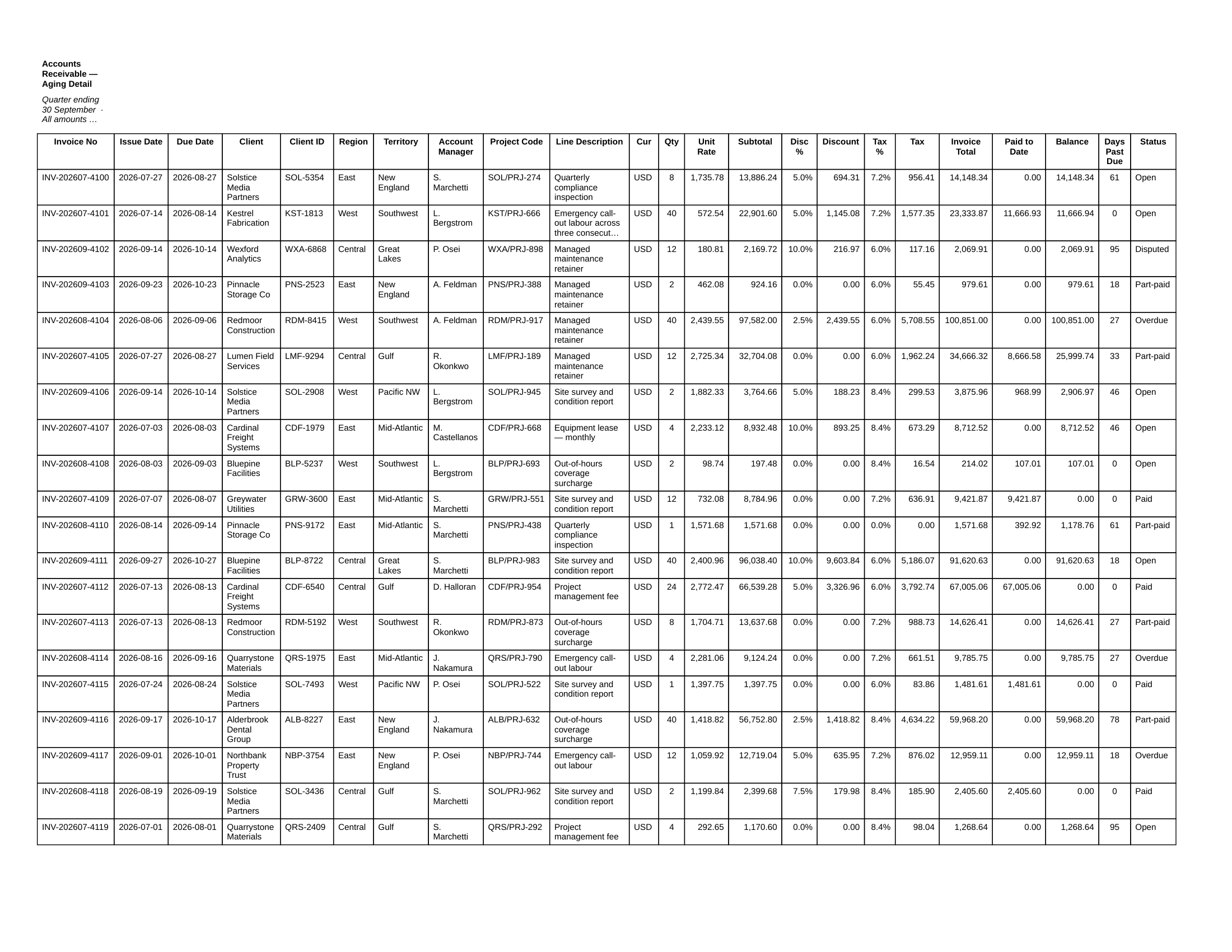
Real output from both tools on the same input file. Sample workbook — every company, invoice number and figure in it was invented. No customer data. Tap either page to open it full size.
The export that looks fine and is quietly short a column, a sheet or a page is the one that reaches your reader before you catch it.
What to do when it is not one file, when the machine has no Excel on it, when the workbook cannot be uploaded, and when the export simply refuses.
Try it on the file that is giving you trouble
The browser converter takes one workbook and hands back the PDF. It is free, there is no signup, and your file is deleted after the conversion. The Windows desktop app adds whole-folder batch and needs Excel 2016 or newer.
